- DockWalls is a free app that adds a translucent design to the system interface, whica can be easily done on your phone’s home screen.
- From themes and wallpapers to widgets and lock screens, you can shape your phone exactly the way you want.
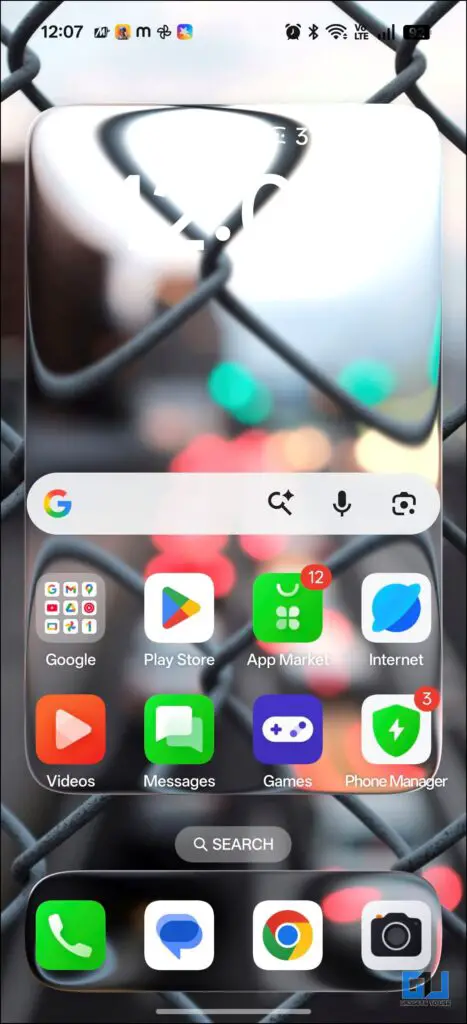
- Here’s a quick demo of how the Liquid Glass effect looks on an Android phone using customisation.
Android smartphones come with the luxury of freedom to customise. From themes and wallpapers to widgets and lock screens, you can shape your phone exactly the way you want. One trend that many users enjoy is the clean and bold time layout often seen on iPhones. Not because it’s an iPhone feature, but because the design looks neat, readable, and modern. Let’s explore how you can get iPhone 17 style time widgets on any Android phone for free.
Get iPhone 17 Look on Android
Widgetify is a free app that brings iOS-style widgets on your Android device. It lets you set clock designs on both homescreen and lockscreen, along with multiple options to customise like text size, colour, and more.
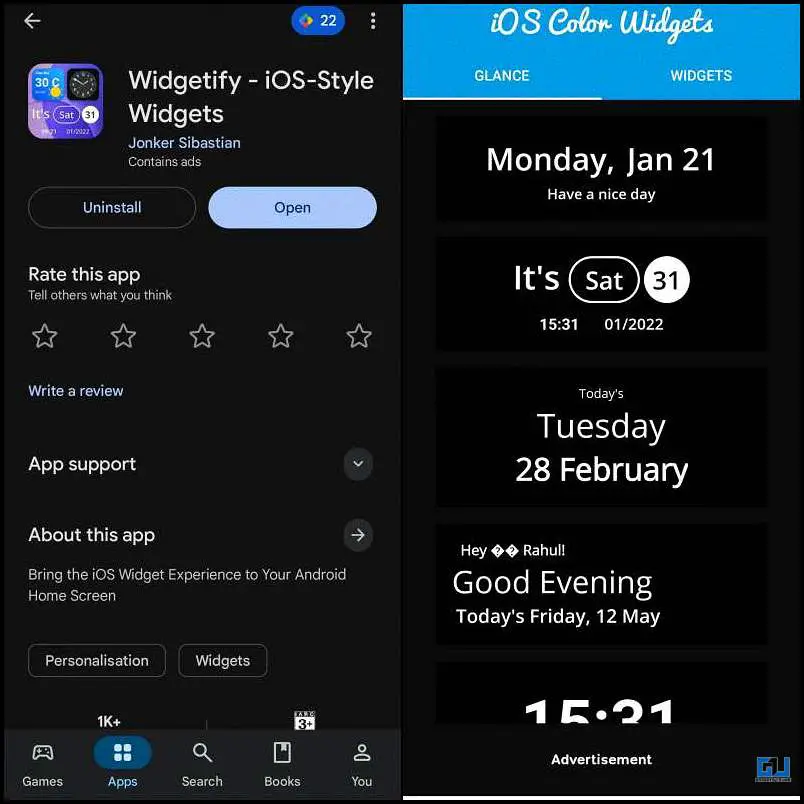
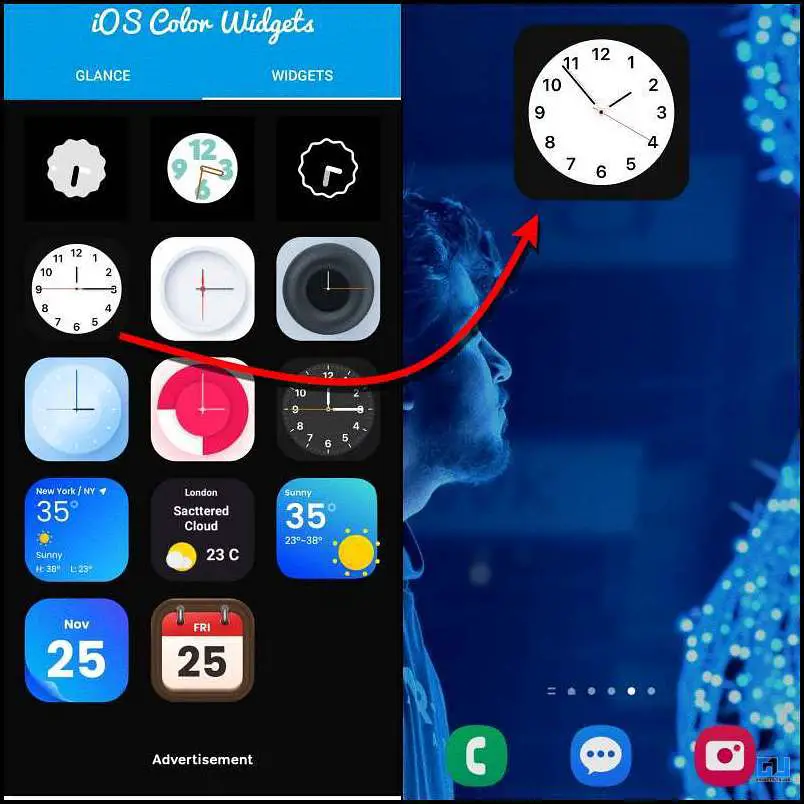
The app has two sections: one is Glance, where you can get different clock styles. The second section is Widgets, where you can choose from different widgets that are similar to iOS. You just have to select one, and it will automatically be added to your home screen.
Make Your Android Device Look More Like iPhone
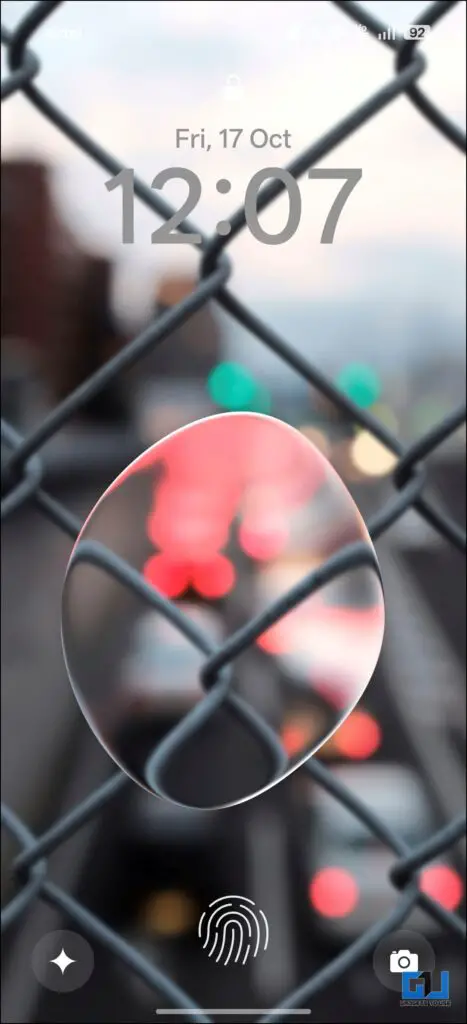
Apple’s new Liquid Glass design in iOS 26 is liked by many users, and Android OEMs are also jumping the same bandwagon by introducing similar design changes in their interface. Android gives you the luxury of customizing your phone to gain a similar Liquid Glass transparent effect. If you are someone who wants to make your Android device UI look similar to iOS, there are several ways to make it happen.
DockWalls is a free app that adds a translucent design to the system interface, whica can be easily done on your phone’s home screen. Xiaomi’s HyperOS, OPPO’s ColorOS, Vivo’s OriginOS also have themes that can transform the look of your phone to resemble iOS 26. Here’s a quick demo of how the Liquid Glass effect looks on an Android phone using customisation:
FAQs
Q. Will these widgets affect my phone’s performance or battery life?
Yes, they can be safe if you download them from the Google Play Store and check app permissions. Avoid apps from unknown sources or those asking for unnecessary access.
Q. Are iPhone-style customisation apps safe to use on Android?
Lightweight widget apps have minimal impact, but apps with heavy animations or ads may use more battery and RAM.
Wrapping up
Android gives you enough freedom to customise your smartphone the way you want. With the right apps and little care, you can achieve an iPhone-style look without changing your device or risking your data. Just make sure you download apps from trusted sources and avoid those that ask for unnecessary permissions. Also, be dependent on your phone’s built-in UI features, as they already offer many useful customisation options, because this is a safer option than using third-party apps.
You may also like to read:
Have any questions related to our how-to guides, or anything in the world of technology? Check out our new GadgetsToUse AI Chatbot for free, powered by ChatGPT.
You can also follow us for instant tech news at Google News or for tips and tricks, smartphones & gadgets reviews, join the GadgetsToUse Telegram Group, or subscribe to the GadgetsToUse Youtube Channel for the latest review videos.
Was this article helpful?
YesNo