- Along with being a way to find similar channels, they are great tools for a digital marketer to analyse the competition or to understand what tags and keywords one uses to enhance the visibility of their channel.
- The extension will analyse the categories that the channel falls under, and you can search for the same in the search bar.
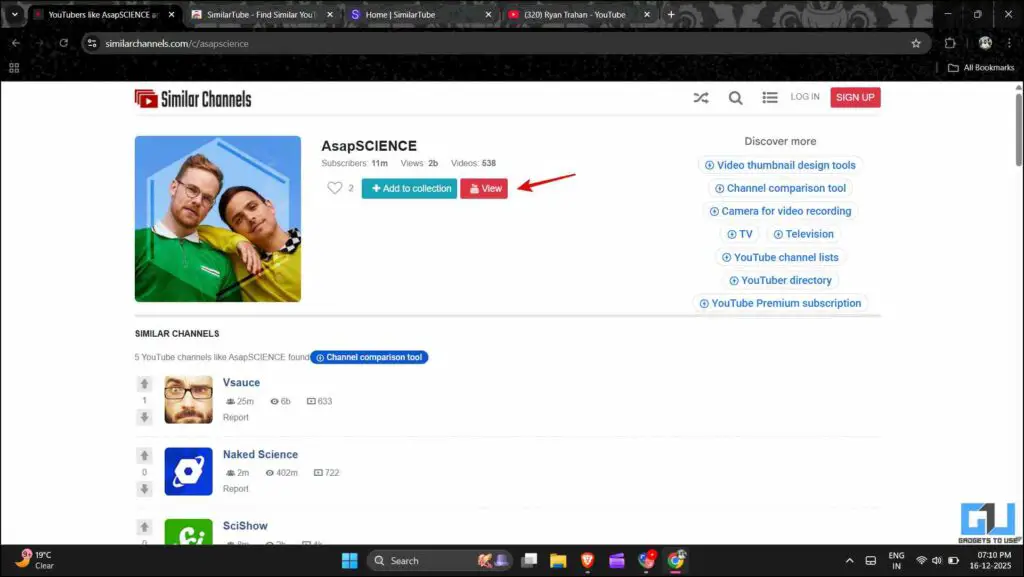
- You can access the channel you want to explore and click on the YouTube icon to view that channel there.
Sometimes the YouTube algorithm works its magic, and you come across a video about a certain niche that you didn’t know would get you hooked instantly. I myself have found channels that I discovered through a random video recommendation on YouTube. Those have become a part of my daily YouTube experience. But the heart always wants more, and the videos a channel can offer are limited. In these situations, a way to find similar channels offering content in the same niche can really help. Let’s explore how we can do that.
Searching Similar YouTube Channels
When you are watching a video, there are suggestions from YouTube in the right side. These are either other videos from the same channel or the latest videos from channels you watch regularly. Though not impossible, it is hard to find other similar creators. Also, you must have noticed that when you subscribe to a new channel, YouTube doesn’t recommend similar channels to you. This is unlike what you can see on Instagram, where you do get suggestions for similar creators or accounts when you follow a new account. We can take the help of third-party sites or extensions that can help us find similar YouTube channels.
Using SimliarChannels.com
As the name suggests, this website helps you find similar channels to the channel you want. This was developed by someone who faced a similar problem and wanted to find similar channels in a certain niche.
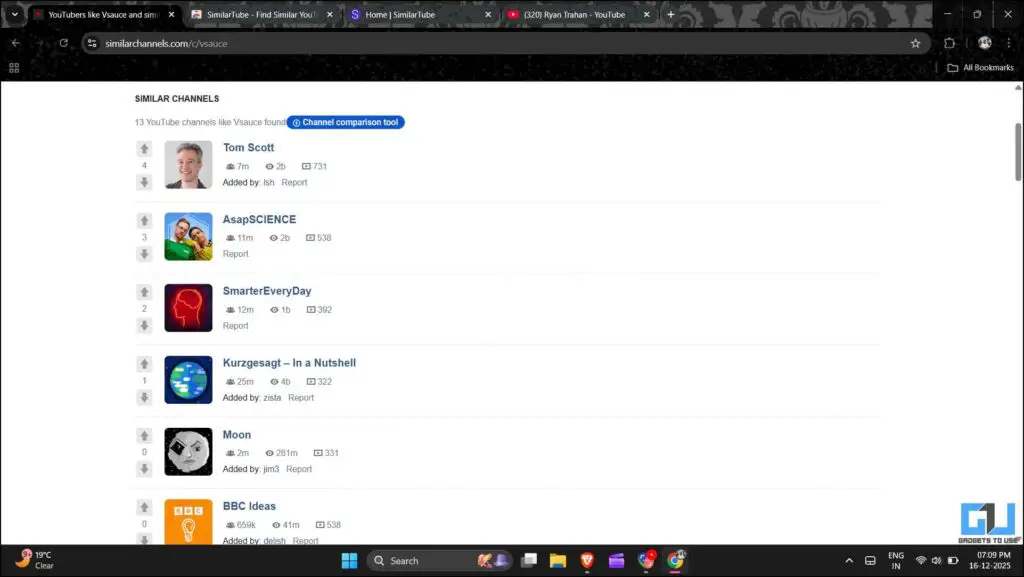
1. Open similarchannels.com and search the channel name in the search bar.

2. Scroll down, and you will find the list of similar channels.
3. You can access the channel you want to explore and click on the YouTube icon to view that channel there.
You should note that the database of this website is crowdsourced, so it might not have information about all the channels.
Using Browser Extensions
You can also use browser extensions like SimilarTube, which you can download from the Chrome Web Store.
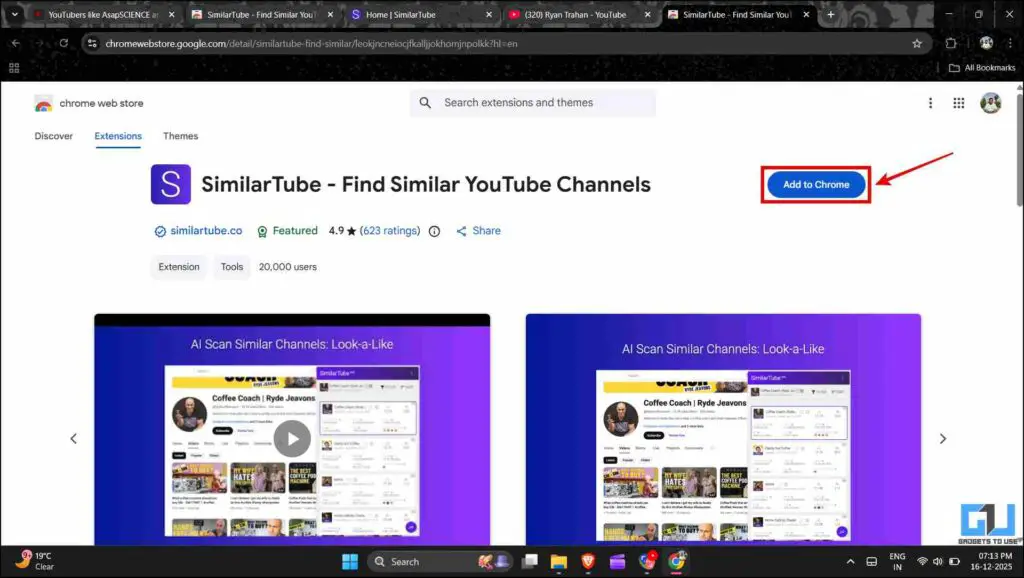
1. Once you add the extension to your browser, you will be redirected to a signup page. Log in through your email ID on which you use YouTube.

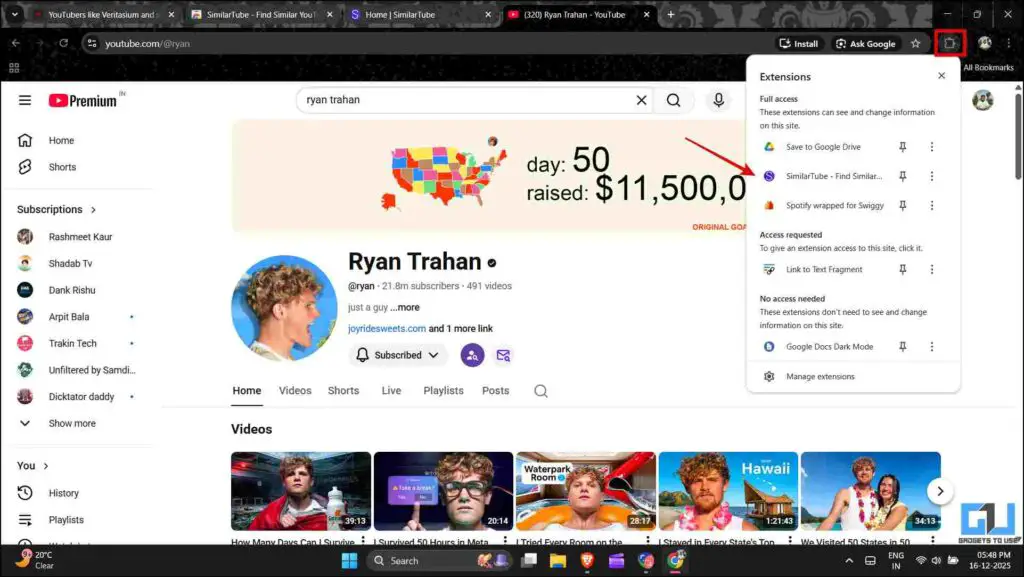
2. Open the channel you want to find similar channels to. From the extensions menu, select SimilarTube.
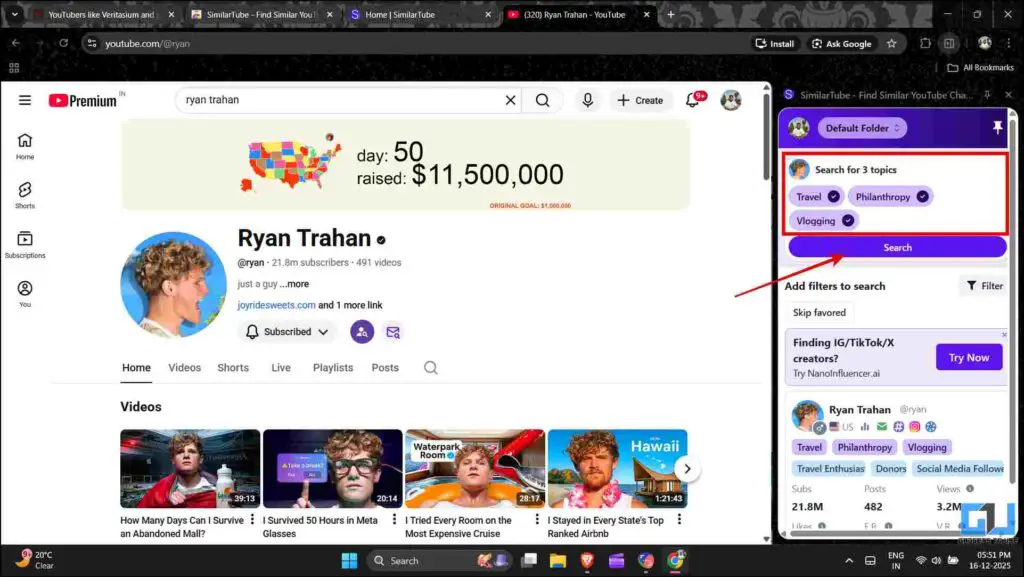
3. The extension will analyse the categories that the channel falls under, and you can search for the same in the search bar.
4. After analysing for some time, it will give you a list of similar channels that offer content in the same niche. Along with this, it will also display some insights and stats of the channel.
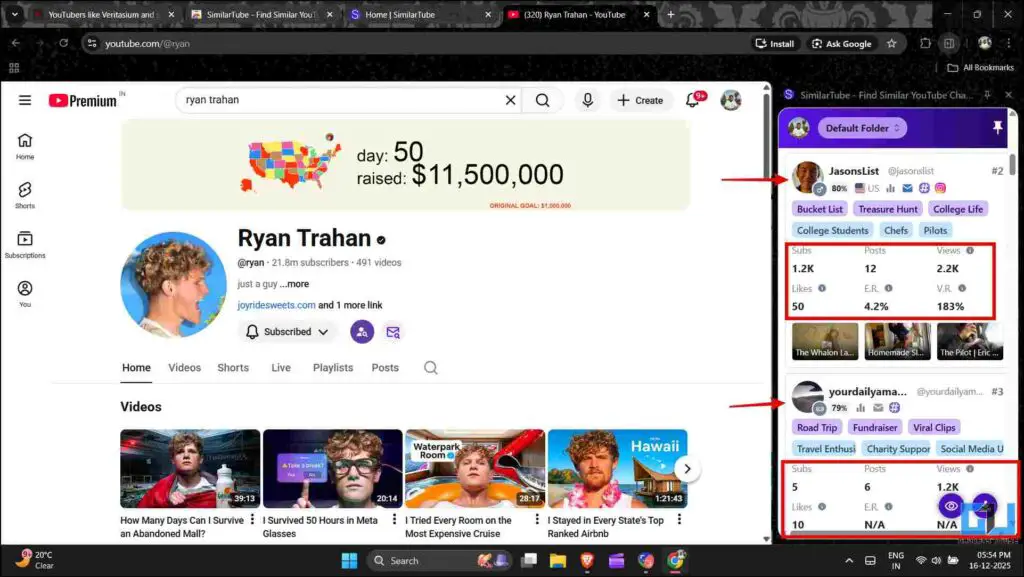
Although it’s free, a paid version of the extension gives you a much more extensive list to choose from.
Using Other Methods to Find Similar Channels and More
Apart from the free options, there are many paid alternatives as well. Websites such as SocialBlade and Channel Crawler not only help you find similar channels but also provide insight about the subscribers, views, revenue, and many other analytics. Along with being a way to find similar channels, they are great tools for a digital marketer to analyse the competition or to understand what tags and keywords one uses to enhance the visibility of their channel.
FAQs
Q. Why does YouTube not show similar channels?
YouTube used to show related channels, but as its layout evolved, this feature was phased out.
Q. Can I use these tools through my phone?
While the websites can be accessed through your phone, the extension would not work as they are not natively supported. So, you would have to use a PC to access that.
Wrapping Up
These tools help you expand your viewing horizon and allow you to discover channels or creators that you might like. They also help channels get discovered if they are underrated in a particular niche. Along with that, users can also use them to analyse other channels in their niche so that they take measures to grow their own channel.
You may also like to read:
Have any questions related to our how-to guides, or anything in the world of technology? Check out our new GadgetsToUse AI Chatbot for free, powered by ChatGPT.
You can also follow us for instant tech news at Google News or for tips and tricks, smartphones & gadgets reviews, join the GadgetsToUse Telegram Group, or subscribe to the GadgetsToUse Youtube Channel for the latest review videos.
Was this article helpful?
YesNo