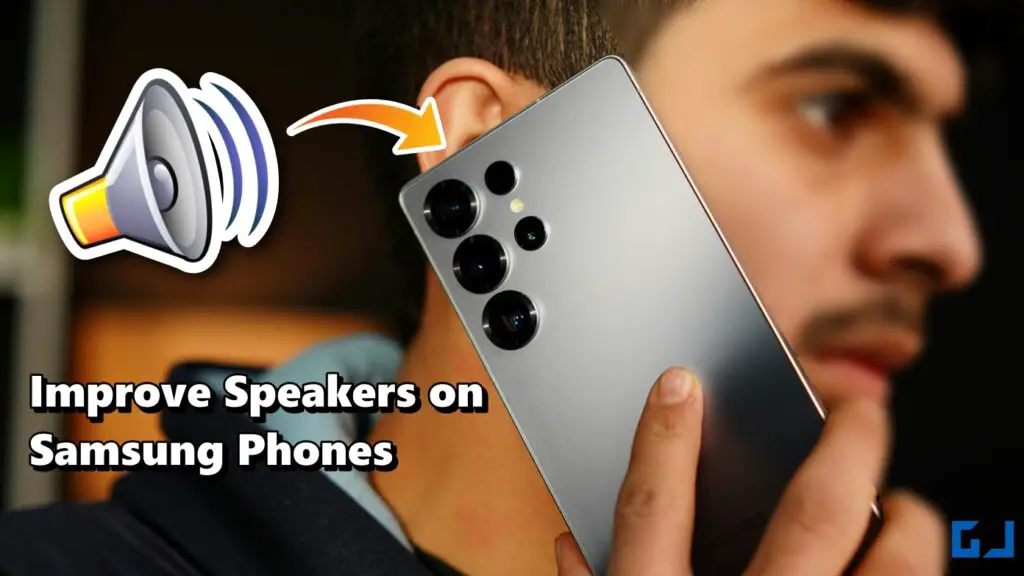
- Here’s a quick guide on how you can improve the speakers on your Samsung phone without using any external app.
- This trick is not limited to the Samsung Flagship series or mid-range series Like S-series, Note-series, Z-Flip/Fold, and A-series models, so you don’t have to worry.
- Improving speaker sound on a Samsung phone is very easy and does not take much time.
If you are a Samsung user, you may feel that your phone’s speaker does not perform as expected. The sound may feel low or not very clear at times. The good thing is that Samsung phones already come with good speakers. Many users just don’t know that the sound can be made even better with a simple built-in setting. You don’t need to install any app or use any extra device. This feature is already available on your phone. Here’s a quick guide on how you can improve the speakers on your Samsung phone without using any external app.
Using Dolby Atmos on Samsung Phones
This trick is not limited to the Samsung Flagship series or mid-range series Like S-series, Note-series, Z-Flip/Fold, and A-series models, so you don’t have to worry. You can apply this trick to almost every Samsung devices, but the previously mentioned series have some extra edge because almost every phone of the mentioned series comes with Dolby Atmos. That helps to provide better audio output.
If you have a Samsung premium series & you don’t know how to enable Dolby Atmos sound, here is a quick tutorial for you.
1. Open Settings and go to Sounds & Vibration.
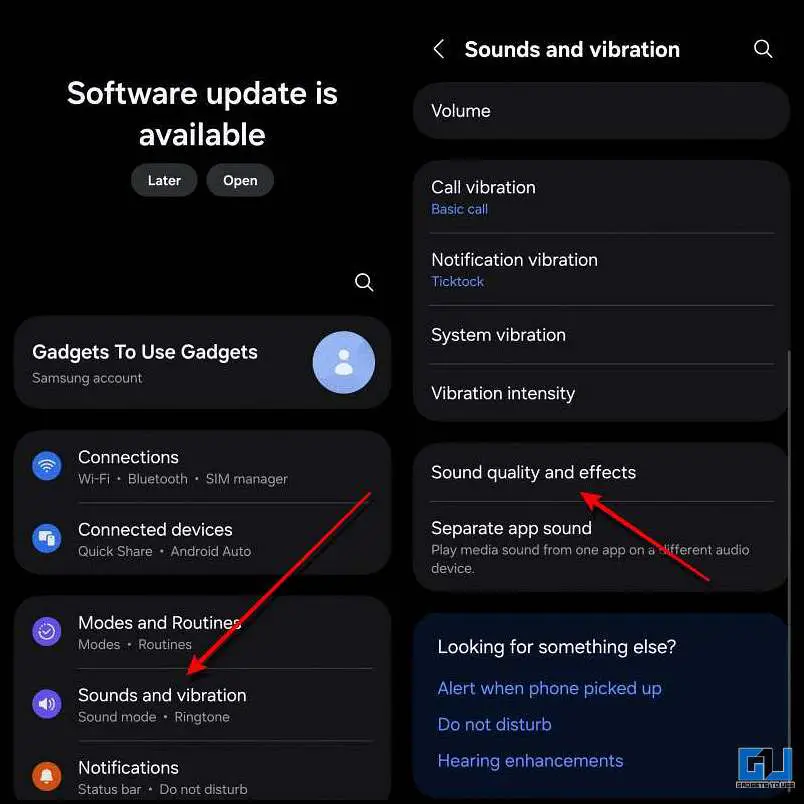
2. Now select Sound Quality and effects and turn on Dolby Atmos.
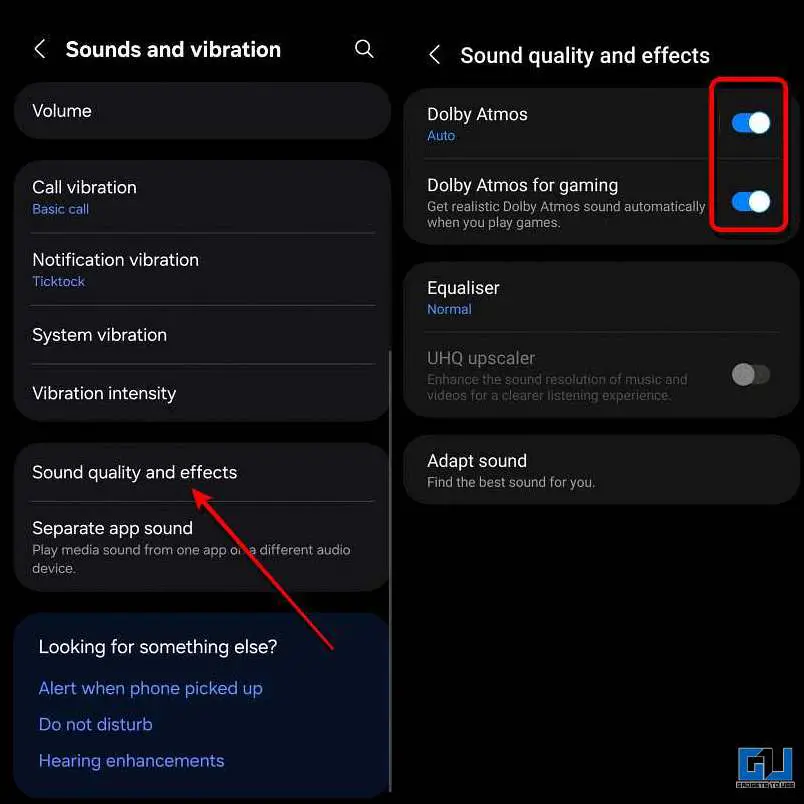
If you are into gaming and want better audio output during your gaming session, then you may also turn on Dolby Atmos for gaming.
Improve Speaker Sound in Samsung Phones
Samsung phones come with a built-in equaliser, which can enhance the sound output of your device. Not every Samsung phone is the same; hence, the speakers need to be tuned to best suit your needs. This can be done by toggling a few settings. Here’s how you can do it:
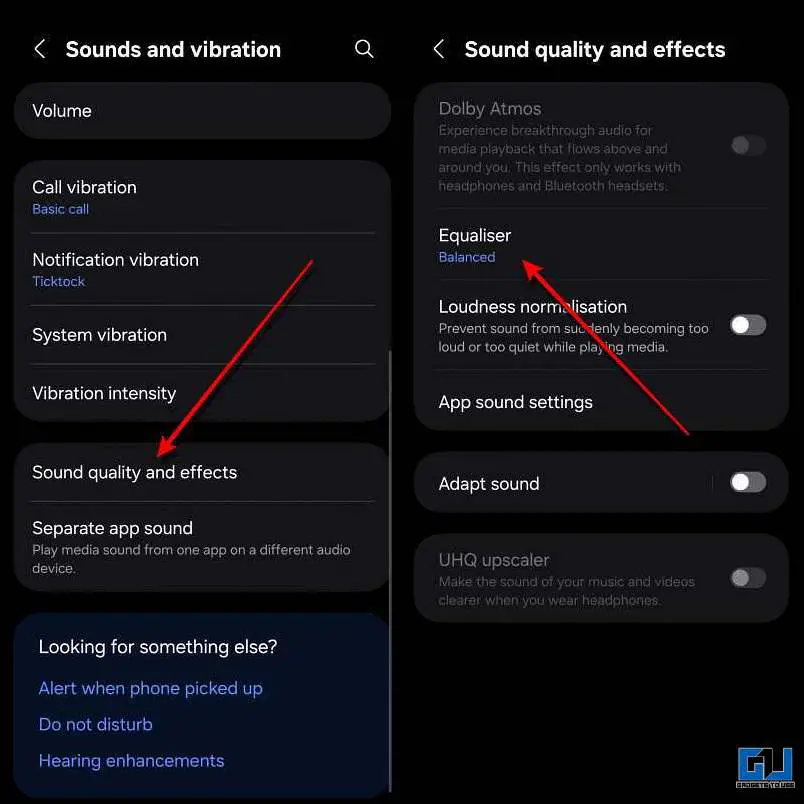
1. Open Settings and go to Sounds & Vibration.
2. Now tap on Sound Quality and effect, and open Equaliser.
3. Now select the Custom option and tune the equaliser. Here’s a reference for a balanced sound output.
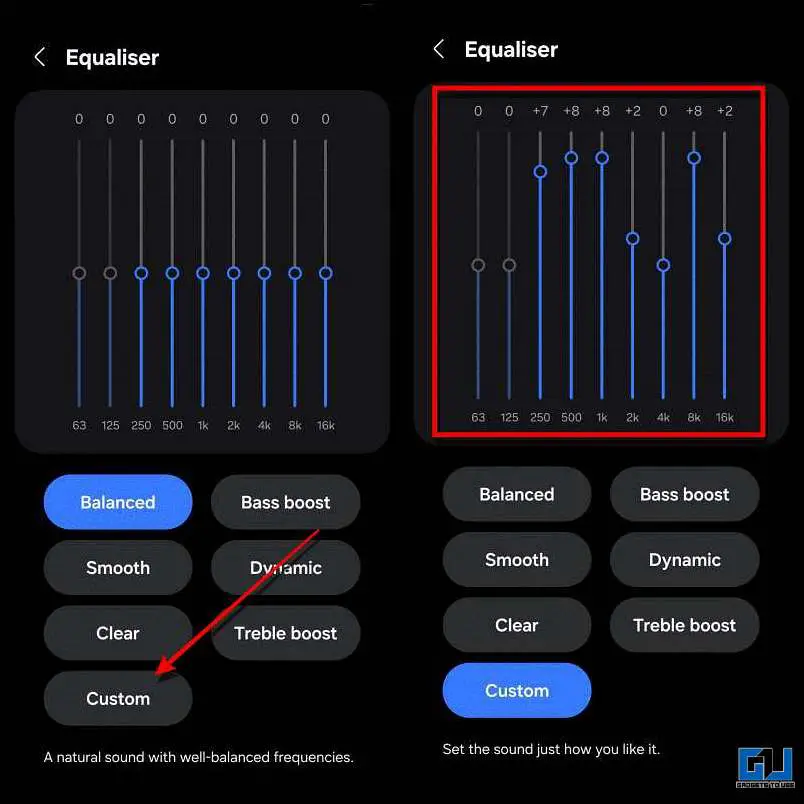
Changing the equaliser settings will tweak the sound output to suit your taste. However, if the speaker of your device is weak, the difference may not be significant. In such cases, it is recommended to clean the speaker grill of your device carefully.
FAQs
Q. Do Samsung phones support Dolby Atmos in gaming?
Yes. Samsung phones have a special Dolby Atmos option for gaming. Turning it on gives better sound during gameplay.
Q. Do all Samsung phones have an equaliser?
All Samsung phones come with a built-in equaliser. This includes premium models like S-series, Note-series, Z-series, along with mid-range A-series devices.
Wrapping Up
Improving speaker sound on a Samsung phone is very easy and does not take much time. You don’t need any app or extra tools; just a few built-in settings can make a clear difference. If your phone’s sound feels low or unclear, try these steps once. Small changes like enabling Dolby Atmos and adjusting the equalizer can make your music, videos, and games sound much better.
Have any questions related to our how-to guides, or anything in the world of technology? Check out our new GadgetsToUse AI Chatbot for free, powered by ChatGPT.
You can also follow us for instant tech news at Google News or for tips and tricks, smartphones & gadgets reviews, join the GadgetsToUse Telegram Group, or subscribe to the GadgetsToUse Youtube Channel for the latest review videos.
Was this article helpful?
YesNo