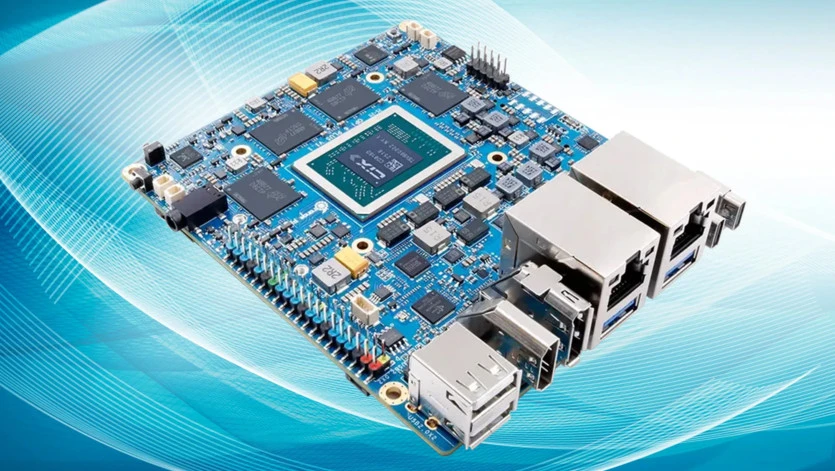
The Orange Pi 6 Plus represents an ambitious single-board computer for edge computing and local AI inference. With its CIX P1 processor, dual 5GbE ports, dedicated NPU, and Mali GPU, it promises homel
ab capabilities, edge AI, and low power consumption in a compact form factor.
Hardware Specifications
The Orange Pi 6 Plus ships with impressive specifications:
- SoC: CIX P1 with 12 CPU cores (4x Cortex-A520 + 8x Cortex-A720)
- GPU: Mali G720 / Immortalis-class
- NPU: Three-core Zhouyi NPU
- RAM: 16GB
- Connectivity: Dual Realtek RTL8126 5GbE controllers
- Wireless: Realtek RTL8852BE Wi-Fi and Bluetooth
- Performance: Combined 45 TOPS across CPU, GPU, and NPU
Building Production-Ready OS
The author built a custom Debian 13 (Trixie) image rather than using vendor-supplied OS, highlighting a critical challenge with ARM SBCs: vendor images are often inadequate for production use.
Key improvements made:
- Fixed boot chain issues with GRUB configuration
- Resolved filesystem resize failures
- Baked in GPU firmware and vendor userspace
- Ensured deterministic first boot without serial console intervention
GPU and NPU Support
GPU Story
Initially, Vulkan fell back to llvmpipe (software rendering). The solution required finding vendor userspace packages, rebinding the GPU from panthor to vendor mali_kbase stack, and installing a vendor Vulkan ICD.
NPU Story
The NPU situation was typical of this hardware class. Linux knew an NPU existed but userspace was absent or incomplete with inconsistent package references.
Local AI Inference Performance
The author tested four inference runtimes with various models. The production configuration used Qwen3.5 4B Q4_K_M on Vulkan:
Performance Metrics:
- Prompt throughput: 8.4 tokens/second
- Generation throughput: 9.7 tokens/second
- Typical response time: 6-25 seconds
- Memory usage: ~5.3GB RSS
- Stability: 10/10 pass rate
Vulkan Micro-Batch Tuning
The Mali Vulkan backend had descriptor-set exhaustion issues. Optimal settings were found at -ub 8 (8.4 prompt tok/s), with performance degrading significantly at higher values.
Thermal and Power Characteristics
Thermals
Thermal performance was excellent:
- Idle: 29-33°C
- Under load: Mid-30s to 40°C
- Peak: ~43°C
- No thermal throttling observed
Power Consumption
Over 30 days of continuous operation:
- Average: 15.5W
- Idle floor: 15-16W (never drops below)
- Typical load: 20-27W
- Peak: ~30W during inference
Comparison:
- Raspberry Pi 5: 3-4W idle
- RK3588 boards: 5-8W idle
- Mini PC with N100: <10W idle
The 15W idle floor is noticeably higher, likely due to memory controller, 5GbE PHYs, or always-on fan.
Practical Experience
After a month of continuous operation, the author used the board for:
- Personal assistant running piclaw instance
- Real development: Porting BasiliskII JIT to AArch64
The board performed reliably throughout constant rebuilds and testing.
Conclusion
The Orange Pi 6 Plus fits specific roles:
- Local inference experiments with carefully chosen models
- Edge-side telemetry or monitoring
- Compact Linux services benefiting from dual 5GbE
- Infrastructure roles requiring density and lower power than x86
Verdict: Hardware is ahead of software. The GPU works, NPU exists in recognizable form, and local AI is possible. However, power consumption and fan noise are higher than ideal.
Compared to Rockchip offerings, it’s more polished. The ability to do useful work with custom OS images shows ARM board progress. But software remains the critical bottleneck—vendors need better OS image quality, documentation, and long-term support.
In case you have found a mistake in the text, please send a message to the author by selecting the mistake and pressing Ctrl-Enter.
Sign In